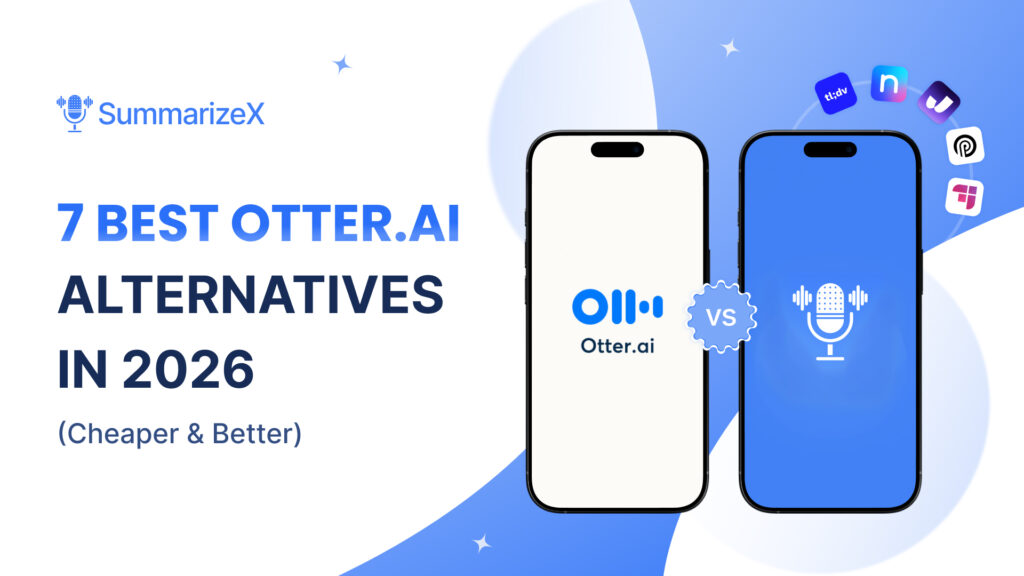
Otter.ai is a solid meeting transcription tool, but at $16.99/month for the Pro plan, it’s not exactly cheap. And if you need features beyond virtual meeting recording, like offline recording, YouTube video summaries, or support for more than just English, you’ll hit walls fast.
We tested seven Otter.ai alternatives that cost less and, in several cases, do more. Whether you want a free option, something that works without internet, or an app that runs on your Apple Watch, there’s a better fit for you. The AI notetaker landscape has changed a lot in 2026, and there are more choices than ever.
The short version: If you want the most features at the lowest price, SummarizeX is our top pick. It starts free and covers offline recording, YouTube summaries, phone calls, and 100+ languages for $4.99/month. Every app on this list beats Otter in at least one area.
Quick Comparison: Otter.ai vs the Alternatives
Before we dig into each one, here’s how they stack up:
| App | Free Plan | Cheapest Paid | Offline Recording | YouTube Summaries | Languages | Smartwatch |
|---|---|---|---|---|---|---|
| Otter.ai | 300 min/mo (3 min per file) | $16.99/mo | No | No | Limited | No |
| SummarizeX | 10 summaries/mo, 30 min | $4.99/mo | Yes | Yes | 100+ | Yes |
| Notta | 120 min/mo (3 min limit!) | $8.17/mo | No | Yes (link) | 58 | No |
| tl;dv | Unlimited recordings | $18/mo | No | No | 30+ | No |
| Fireflies.ai | 800 min/mo | $10/mo (annual) | No | No | 100+ | No |
| Jamie | Limited meetings | $24/mo | Yes | No | 90+ | No |
| Plaud | 300 min/mo | $17.99/mo + $159 device | Yes (device) | No | 100+ | No |
| Rev | None | $0.25/min | No | No | 36 | No |
Why Switch From Otter.ai?
Otter.ai does virtual meeting transcription well. It joins your Zoom, Google Meet, or Teams calls, records them, and gives you a transcript with speaker labels. For that specific use case, it works.
But here’s where it falls short:
- Price. $16.99/month adds up to $204/year for basic transcription. The free plan limits you to 3 minutes per uploaded file, which is too short for most real recordings.
- No offline recording. If you’re in a meeting room, classroom, or coffee shop without a stable connection, Otter can’t help.
- No YouTube or file summaries. You can’t paste a YouTube link and get a summary. You can’t upload a PDF or document for AI processing.
- Limited language support. Otter is primarily English-focused. If you work across languages, you’ll need something else.
- No smartwatch support. There’s no Apple Watch or Wear OS app.
If any of these matter to you, keep reading.
1. SummarizeX: Best Overall (and Cheapest)
SummarizeX is the most complete Otter.ai alternative on this list, and it costs a fraction of the price.
Where Otter focuses exclusively on virtual meetings, SummarizeX handles almost any audio source: live recordings, phone calls, YouTube videos, uploaded files (audio, video, documents, images), and web URLs. It also works offline and has Apple Watch and Wear OS apps.
What SummarizeX does that Otter doesn’t
- Offline recording. Record in-person meetings, lectures, or conversations without internet. The app transcribes and summarizes when you’re back online.
- YouTube video summaries. Paste any YouTube URL and get an AI summary in seconds.
- Phone call recording. Record and summarize phone calls, not just virtual meetings.
- Smartwatch recording. Record from your Apple Watch or Wear OS device. No other app on this list offers this.
- 100+ languages. Powered by three AI engines (Deepgram Nova-3, OpenAI Whisper, Gemini 2.5 Flash).
- Document and URL upload. Summarize PDFs, Word docs, images, and web pages.
Pricing
| Plan | Monthly | Yearly | What You Get |
|---|---|---|---|
| Free | $0 | $0 | 10 summaries, 30-min recordings, Overview & Key Points mode |
| Student | $4.99 | $49.99 | 25 summaries, 60-min recordings, 4 AI actions, chat |
| Personal | $9.99 | $99.99 | 40 summaries, 120-min recordings, unlimited AI actions, premium models |
How it compares to Otter
Otter’s meeting bot joins virtual calls automatically, which is convenient if your entire workflow is Zoom and Google Meet. SummarizeX takes a different approach by recording locally from your device mic. This means SummarizeX works in more situations (offline, in-person, phone calls, smartwatch) while Otter is limited to virtual meetings.
Verdict
SummarizeX is the best Otter.ai alternative for anyone who records more than just virtual meetings. Students, freelancers, journalists, and anyone who works across multiple languages or needs offline recording will get more value at a lower price.
Want to try this yourself? SummarizeX is free to start with 10 summaries per month.
2. Notta: Best for Affordable Transcription
Notta is a transcription-focused app that supports 58 languages and handles file uploads well. It sits between Otter’s meeting-bot approach and SummarizeX’s all-in-one model.
Key features
- Transcription in 58 languages with real-time translation in 42 languages
- File upload support (MP3, WAV, MP4, AVI, MOV)
- Meeting bot for Zoom, Google Meet, Teams, and Webex
- AI summaries with action items and speaker identification
- YouTube link support for transcription
Pricing
- Free: 120 min/month, but each recording is limited to 3 minutes. That’s a deal-breaker for most people.
- Pro: $8.17/month (annual) or $15/month (monthly). 1,800 min/month, 100 file uploads.
- Business: $16.67/month per user.
Where Notta falls short
- No offline recording. Internet is required for all features.
- No smartwatch app.
- No phone call recording.
- 3-minute free limit makes the free plan almost unusable.
Verdict
Notta is a reasonable choice if you mainly need transcription with multilingual support and file uploads. But the 3-minute free plan limit and lack of offline recording make it hard to recommend over SummarizeX for a similar price.
3. tl;dv: Best for Virtual-Only Meeting Recording
tl;dv offers a generous free plan with unlimited meeting recordings and transcripts. If you only record Zoom, Meet, or Teams calls, tl;dv covers that well.
Key features
- Unlimited free recordings and transcripts
- 30+ language support
- AI-generated meeting notes and summaries
- Clips and highlights for sharing key moments
- CRM integrations (on paid plans)
Pricing
- Free: Unlimited recordings, unlimited transcripts, 30+ languages.
- Pro: $18/month per user. Adds AI notes, CRM sync, Zapier integration.
- Business: $59/month per user. Sales coaching, analytics, admin controls.
Where tl;dv falls short
- Virtual meetings only. No offline recording, no file uploads, no YouTube summaries.
- No mobile recording app. It’s a browser/desktop tool.
- No smartwatch support.
- Paid plans are expensive. $18/month is more than Otter’s annual pricing.
Verdict
tl;dv has a strong free plan for virtual meeting recording. But it only covers one use case. If you need offline recording, YouTube summaries, phone call transcription, or smartwatch support, SummarizeX covers all of those and more at $4.99/month.
4. Fireflies.ai: Best for Sales Teams
Fireflies.ai targets business users who need meeting transcription tied to their CRM and sales workflows. It’s feature-rich but built for a different audience than most individual users.
Key features
- Meeting bot for all major platforms
- 100+ language support
- AI-generated summaries, action items, and conversation analytics
- CRM integrations (Salesforce, HubSpot, etc.)
- Topic tracking and sentiment analysis
- Mobile app with in-person recording capability (added recently)
Pricing
- Free: 800 min/month with basic features.
- Pro: $18/month (monthly) or $10/month (annual). Unlimited transcriptions.
- Business: $29/month per user.
- Enterprise: $39/month per user.
Watch out for credit costs. Fireflies’ AI features run on credits that can run out. Heavy users report spending 2-3x the base price on credit top-ups.
Where Fireflies falls short
- No offline recording (the mobile app needs internet).
- No YouTube or document summaries.
- No smartwatch app.
- Credit system can make it more expensive than it looks.
Verdict
Fireflies is the right choice if your team lives in CRM tools and needs conversation analytics. For individual users or students, it’s more than most people need at a price that reflects its enterprise focus.
Looking for free AI notetaker options? Check out our guide to free AI notetakers for more budget-friendly picks.
5. Jamie: Best for Desktop Offline Recording
Jamie takes a different approach: instead of joining meetings as a bot, it captures audio directly from your computer. That means it works with any meeting platform and can record in-person conversations through your laptop mic.
Key features
- Bot-free recording (no “Jamie is joining the meeting” notifications)
- Works with any meeting platform (Zoom, Meet, Teams, and any other)
- Offline recording on desktop and iOS
- 90+ languages
- Integrations with Notion, Asana, Google Docs
Pricing
- Free: Limited meetings.
- Plus: $24/month per user. 20 meetings/month, 3-hour limit.
- Pro: $47/month per user.
- Executive: $99/month per user.
Where Jamie falls short
- Very expensive. Starting at $24/month, it costs more than Otter.
- No Android app. iOS and desktop only.
- No YouTube summaries, file uploads, or phone call recording.
- No smartwatch support.
- 20 meetings/month limit on the cheapest paid plan.
Verdict
Jamie’s bot-free approach is great for privacy-conscious users, and the offline desktop recording works well. But the pricing is hard to justify when SummarizeX offers offline recording plus many more features at $4.99/month.
6. Plaud: Best Hardware Recording Device
Plaud is a physical device (thin card-sized recorder) paired with an AI app. It’s designed for people who want a dedicated, discreet recording device for in-person meetings.
Key features
- Physical recording device ($159-$189) with a companion app
- 100+ language support
- AI summaries with 10,000+ templates and mind maps
- Speaker identification
- Phone call recording capability
- HIPAA and GDPR compliant
Pricing
- Device: $159 (Plaud Note) to $189 (Plaud Note Pro). Required to use the service.
- Free (Starter): 300 min/month. Included with device purchase.
- Pro: $17.99/month or $99.99/year. 1,200 min/month.
- Unlimited: $29.99/month or $239.99/year.
Where Plaud falls short
- Requires a $159+ hardware purchase before you can use it at all.
- No YouTube summaries or document uploads.
- Total cost is high. Device + Pro plan = $259+ in the first year.
Verdict
Plaud makes sense if you attend a lot of in-person meetings and want something more discreet than pulling out your phone. But the hardware requirement and total cost put it in a different category. SummarizeX does most of the same things using just your phone or smartwatch, starting free.
7. Rev: Best for Pay-Per-Use Transcription
Rev is the oldest name in transcription. Instead of a subscription, you pay per minute, which can be cheaper if you only transcribe occasionally.
Key features
- AI transcription at $0.25/minute
- Human transcription available (higher accuracy, higher price)
- 36 language support
- Caption and subtitle generation
- No subscription required
Pricing
- AI transcription: $0.25/minute
- Human transcription: $1.50/minute
- No monthly fees or subscriptions.
Where Rev falls short
- No recording functionality. You need to record elsewhere and upload.
- No AI summaries or action items. It’s transcription only.
- Per-minute pricing adds up fast. A 1-hour meeting costs $15 with AI transcription, which is more than three months of SummarizeX’s Student plan.
- No offline support, no smartwatch, no YouTube summaries.
Verdict
Rev works if you only need transcription a few times per month and don’t want a subscription. For regular use, an app with a flat monthly fee is almost always cheaper.
How to Choose the Right Otter.ai Alternative
Here’s a quick decision guide:
- Want the most features at the lowest price? SummarizeX ($4.99/mo). Offline, YouTube, phone calls, smartwatch, 100+ languages.
- Need a free virtual meeting recorder? tl;dv. Unlimited free recordings for Zoom/Meet/Teams.
- Work in sales and need CRM integration? Fireflies.ai. Conversation analytics and CRM sync.
- Want multilingual transcription on a budget? Notta ($8.17/mo). 58 languages, file uploads.
- Need a discreet physical recorder? Plaud. Dedicated hardware device for in-person meetings.
- Only need transcription occasionally? Rev. Pay $0.25/minute, no subscription.
- Want bot-free desktop recording? Jamie. Captures audio locally, no meeting bots.
Frequently Asked Questions
What is the cheapest alternative to Otter.ai?
SummarizeX is the cheapest full-featured alternative to Otter.ai available in 2026. Its free plan includes 10 AI summaries and 30-minute recordings per month with offline recording, YouTube URL summaries, and file uploads at no cost. The paid Student plan costs just $4.99/month, compared to Otter’s Pro plan at $16.99/month. That means you get offline recording, Apple Watch and Wear OS smartwatch support, 100+ languages, phone call recording, and YouTube video summaries for less than a third of Otter’s price. Otter’s free plan limits uploaded file transcriptions to just 3 minutes and only allows 3 lifetime file imports, while SummarizeX gives you full 30-minute recordings and six different input types from day one, including audio, video, documents, and web URLs. Notta’s Pro plan at $8.17/month is another budget option, though it lacks offline recording and limits free recordings to 3 minutes per session.
Can I record meetings offline without Otter.ai?
Yes. SummarizeX is the best option for offline meeting recording. It records meetings offline on your iPhone, Android phone, Apple Watch, or Wear OS smartwatch, then automatically transcribes and generates AI summaries when you reconnect to the internet. No other alternative offers offline recording across this many devices or platforms. Jamie offers offline recording but only on macOS, Windows, and iOS. There is no Android support, no smartwatch app, and it costs $24/month, nearly five times the price of SummarizeX. Plaud records offline through a physical device, but requires a separate hardware purchase starting at $159 on top of a monthly subscription. Otter.ai, Fireflies.ai, tl;dv, and Notta all require an active internet connection to function at all. For in-person meetings, classrooms, conferences, or any location with unreliable Wi-Fi, SummarizeX is the most versatile and affordable offline recording option available today.
Is there a free AI note-taker better than Otter’s free plan?
SummarizeX offers the most versatile free plan among Otter.ai alternatives. It includes 10 AI-powered summaries per month with 30-minute recordings, offline recording, YouTube URL summaries, file uploads for audio, video, documents, and images, plus 100+ language support, all completely free. Otter’s free plan gives you 300 minutes per month but limits uploaded file transcriptions to just 3 minutes and only allows 3 lifetime file imports, making it impractical for regular use. SummarizeX’s free plan also works without internet and supports Apple Watch and Wear OS recording, features that no other free plan matches. Fireflies.ai offers 800 free minutes per month but only for virtual meetings with no offline capability or file upload support. The combination of offline recording, multi-format input, smartwatch support, and 100+ languages makes SummarizeX’s free plan the strongest all-around option for anyone who records more than just virtual meetings.
Which Otter.ai alternative supports the most languages?
SummarizeX supports 100+ languages, making it one of the most comprehensive multilingual AI note-takers available today. It is powered by three AI transcription engines (Deepgram Nova-3, OpenAI Whisper, and Gemini 2.5 Flash) which together cover more languages and regional accents than any single transcription engine could handle alone. SummarizeX also lets you translate your summaries into different languages directly within the app, a feature that most alternatives do not offer. By comparison, Otter.ai is primarily English-focused with limited multilingual support. Notta handles 58 transcription languages plus 42 translation languages, and Jamie covers 90+ languages but at a much higher price point of $24/month. If you regularly work across multiple languages or need to transcribe audio in less common languages like Tagalog, Marathi, Kannada, or Urdu, SummarizeX provides the broadest practical language coverage at the lowest price.
Can I summarize YouTube videos with an Otter.ai alternative?
Yes. SummarizeX lets you paste any YouTube URL directly in the mobile app or web app and generates an AI summary with key points in seconds. You can summarize YouTube videos in any of the 100+ supported transcription languages, making it useful for educational content, research, podcasts, interviews, and lectures published on YouTube. This is a feature that Otter.ai, tl;dv, Fireflies, Jamie, Plaud, and Rev do not offer at all. Beyond YouTube, SummarizeX also summarizes uploaded audio files, video files, PDF documents, Word documents, images with text, and web page URLs. That makes it the only Otter.ai alternative that combines YouTube video summaries with live meeting recording, phone call recording, offline recording, and smartwatch support in a single app. If summarizing online video and audio content is part of your daily workflow, SummarizeX is the clear choice.
A note on recording laws: Recording laws vary by location. In many US states and countries, you only need one party’s consent to record a conversation (that’s you). But some states (like California, Illinois, and Florida) and some countries require all parties to consent. Always check your local laws and inform participants when recording. SummarizeX is a tool, and how you use it is your responsibility.
The Bottom Line
Otter.ai is a fine tool for virtual meeting transcription, but it’s not the only option, and for many users, it’s not the best value.
If you want a single app that handles meetings, phone calls, YouTube videos, file uploads, and offline recording across 100+ languages, SummarizeX gives you the most value at the lowest price.
You don’t need to pay $16.99/month for great AI transcription and summaries in 2026.
Try SummarizeX free. Record your next meeting, paste a YouTube link, or upload an audio file and get an AI summary in seconds. No credit card needed.