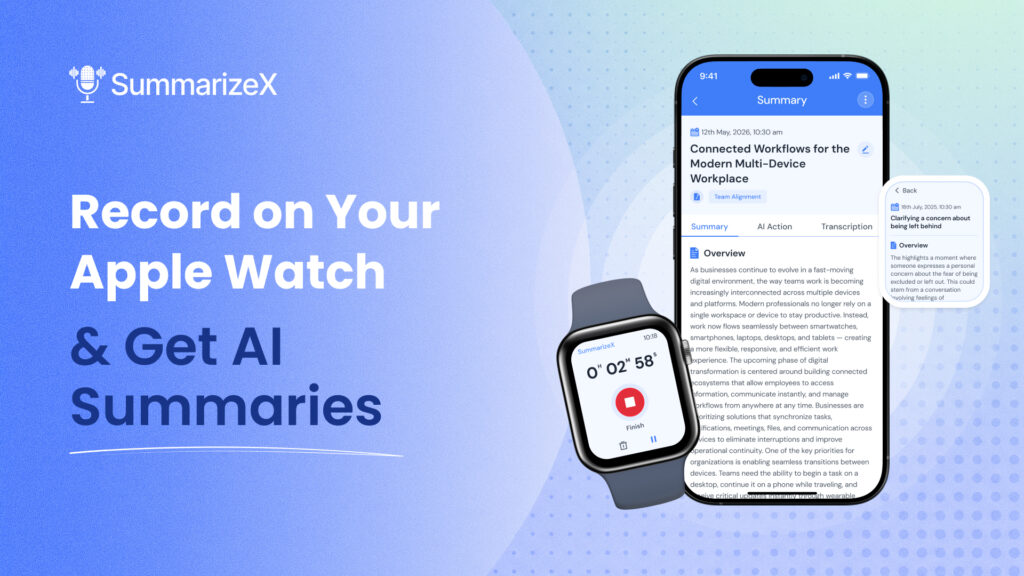
Your phone is in your pocket or sitting across the room. A conversation starts. A quick meeting, a doctor explaining test results, an idea you want to capture while walking. You’re not going to pull out your phone and hit record. But your watch is already on your wrist.
SummarizeX turns your Apple Watch into a smartwatch voice recorder that does more than just capture audio. It records, syncs to your phone, and generates an AI summary with key points, action items, and a full transcript. No phone required during the recording. No manual note-taking afterward.
This guide covers how to set it up, what it’s like to use, and how it compares to other smart-watch recording apps. If you’ve been looking for a way to record meetings without pulling out your phone, this is the simplest option available.
How to Record on Your Apple Watch with SummarizeX
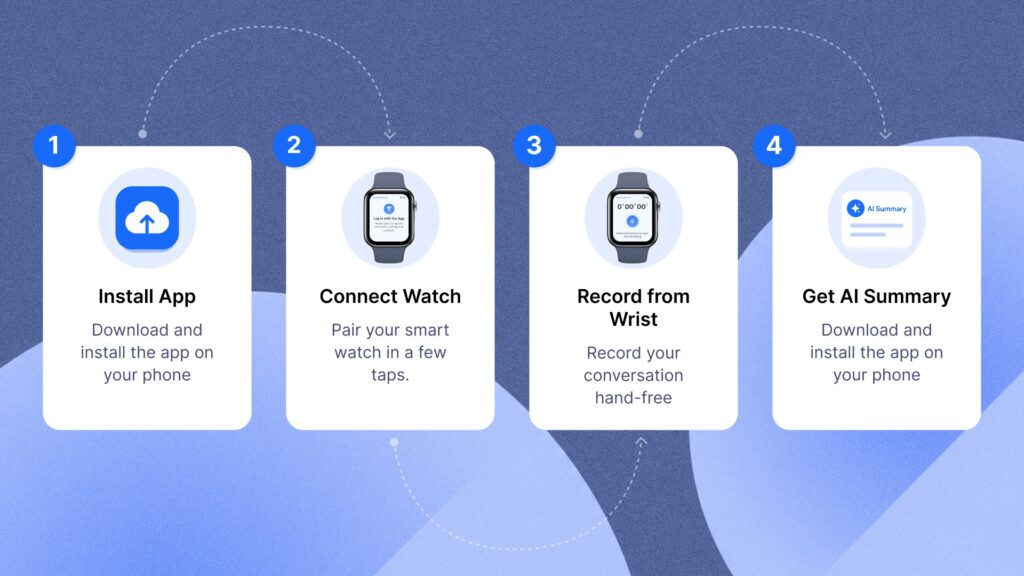
Setting up takes about two minutes. After that, recording is a single tap.
Step 1: Install SummarizeX on your iPhone
Download SummarizeX from the App Store and create a free account. The Apple Watch app installs automatically if you have automatic app installs enabled for your watch. If not, open the Watch app on your iPhone and install SummarizeX manually from the Available Apps list.
Step 2: Connect your Apple Watch
Open SummarizeX on your iPhone. Go to Settings and tap How to Connect Your Watch under the Features section. Follow the on-screen steps to pair. Your watch needs to be running watchOS 11.6 or later.
Step 3: Start recording from your wrist
Open SummarizeX on your Apple Watch. Tap the record button. That’s it. You’ll see a timer counting up, a pause button, and a stop button. The recording continues even if you lower
your wrist or the watch screen turns off.
When you’re done, tap Finish. The recording syncs to your iPhone automatically.
Step 4: Get your AI summary
When you finish recording, the AI generates a summary right on your Apple Watch. You can read the key points directly from your wrist without pulling out your phone. The recording also syncs to your iPhone automatically, where you can view the full summary, read the tran-script, export as PDF, or share via email, WhatsApp, or Slack.
Want to try this yourself? SummarizeX is free to start with 10 free summaries.
When a Smartwatch Voice Recorder Actually Makes Sense
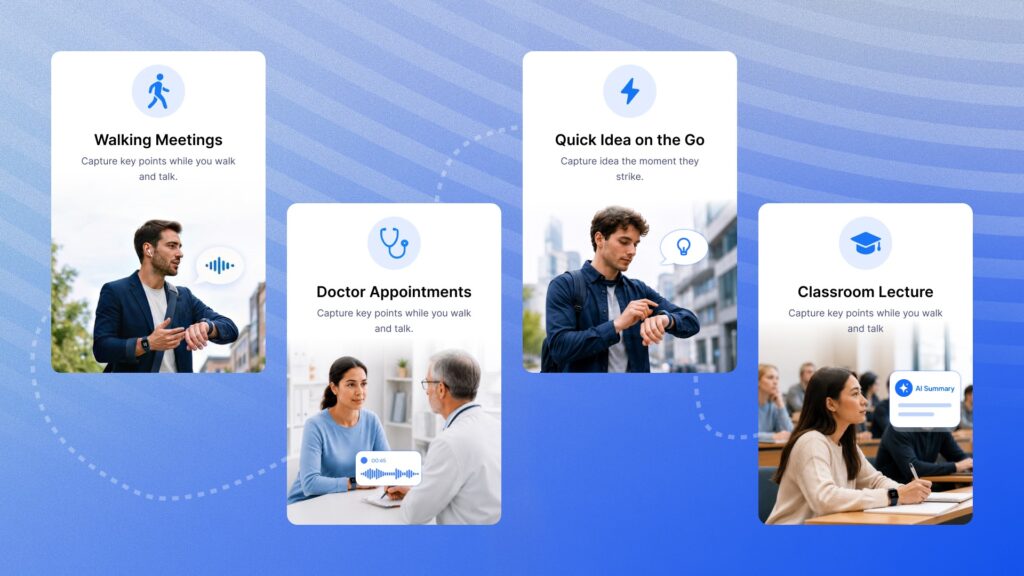
A watch recorder isn’t for every situation. But there are specific moments where it’s the only practical option:
• Walking meetings. You’re moving, your hands are occupied, and pulling out a phone would break the flow. A single tap on your watch captures the whole conversation.
• Doctor appointments. You’re absorbing a lot of medical information at once. Record-ing from your wrist lets you focus on the conversation and review the AI summary later.
• Quick ideas on the go. You’re running, commuting, or cooking. A voice memo from your watch takes two seconds. SummarizeX turns it into organized notes.
• Classroom lectures. Your phone might be distracting, but a watch records discreetly. Pair it with the meeting recording culture that’s becoming standard across workplaces and classrooms.
• Sensitive conversations. Some meetings feel awkward with a phone on the table. A watch recording is less intrusive while still capturing everything.
The common thread: your phone is inconvenient or inappropriate to use, but you still need to capture what’s being said.
SummarizeX vs Other Smartwatch Recording Apps
SummarizeX isn’t the only app that records from an Apple Watch. But it’s the only one that combines watch recording with full AI summarization, 100+ languages, and cross-platform support. Here’s how it compares (pricing as of May 2026):
| Feature | SummarizeX | Just Press Record | Whisper Memos | Voicenotes |
| Apple Watch | Yes | Yes | Yes | Yes |
| recording | ||||
| Wear OS recording | Yes | No | No | Yes |
| AI summary | Yes | No | Basic | Yes |
| Full transcript | Yes | Yes | No | Yes |
| Languages | 100+ | 20+ | English focus | 30+ |
| Offline recording | Yes | Yes | Yes | Yes |
| YouTube | Yes | No | No | No |
| summarization | ||||
| File upload | Yes | No | No | No |
| Phone call recording | Yes | No | No | No |
| Free plan | Yes (10 free | No ($4.99 | No | No |
| summaries) | one-time) | (~$4.99/mo) | (~$10/mo) |
| Feature | SummarizeX | Just Press Record | Whisper Memos | Voicenotes |
| Cheapest paid | $4.99/mo | $4.99one-time | ~$4.99/mo | ~$10/mo |
The table speaks for itself. Most smartwatch recording apps stop at recording or basic tran-scription. SummarizeX is the only one that combines watch recording with full AI summaries, Ask AI chat, 100+ languages, and cross-platform support for both Apple Watch and Wear OS. If you want an all-in-one alternative to single-purpose tools, SummarizeX covers the most ground.
What You Need to Get Started
Quick requirements checklist:
• Apple Watch running watchOS 11.6 or later
• iPhone with SummarizeX installed (free from the App Store)
• Bluetooth connection between watch and phone for syncing (recording itself works independently)
• Internet connection on your phone when you’re ready to generate the AI summary (the recording happens offline, processing happens when you’re back online)
SummarizeX also supports Wear OS smartwatches for Android users. The experience is similar: record from your wrist, sync to your phone, get an AI summary.
A note on recording laws: Recording laws vary by location. In many US states and countries, you only need one party’s consent to record a conversation (that’s you). But some states (like California, Illinois, and Florida) and some countries require all parties to consent. Always check your local laws and inform participants when recording. SummarizeX is a tool – how you use it is your responsibility.
Frequently Asked Questions
Can you record voice memos on an Apple Watch?
Yes, you can record voice memos on an Apple Watch using third-party apps like SummarizeX. Apple’s built-in Voice Memos app does not have an Apple Watch version as of 2026, which is why third-party options exist to fill this gap. SummarizeX installs on your Apple Watch along-side the iPhone app and lets you start recording with a single tap. The recording continues even when your wrist is down or the screen turns off, so you can record meetings, conversa-tions, lectures, and voice notes without interacting with the watch after starting. Once you stop recording, the audio syncs to your iPhone where SummarizeX generates an AI-powered summary with key points, action items, and a full transcript in 100+ languages. The free plan includes 10 free AI summaries with recordings up to 30 minutes. Paid plans extend this to 60 or 120 minutes per recording with additional summary modes and AI features.
Does the Apple Watch record when the screen is off?
Yes, SummarizeX continues recording on your Apple Watch even when the screen turns off or you lower your wrist. The app runs a background audio session that captures sound continu-ously until you actively tap the stop button. This is important for practical use because most recordings last longer than the watch’s screen-on timeout. You start the recording, lower your arm, and go about your conversation or meeting naturally. The timer keeps running in the background and you can raise your wrist at any time to check the elapsed time or pause
the recording. Battery impact is moderate since the watch is only capturing audio, not run-ning the display. For a typical one-hour recording session, expect around 10 to 15 percent battery usage depending on your watch model and other active complications. The recording syncs to your iPhone over Bluetooth once you finish.
What is the best smartwatch for voice recording?
The Apple Watch is currently the best smartwatch for voice recording with AI transcription be-cause it has the widest selection of recording apps, including SummarizeX, Just Press Record, Whisper Memos, and Voicenotes. SummarizeX stands out because it combines recording with full AI summaries in 100+ languages, something no other watch recording app offers. For An-droid users, Wear OS smartwatches like the Samsung Galaxy Watch and Google Pixel Watch also support SummarizeX, making them strong options in the Android ecosystem. The key factors to consider when choosing a smartwatch for recording are microphone quality, bat-tery life during recording, app availability, and what happens after you capture the audio. Most watch recording apps just give you a raw audio file or basic transcript. SummarizeX processes your recording through AI to generate structured summaries with key points, ac-tion items, and searchable text, which saves significant time compared to listening back to the entire recording manually.
Can I transcribe Apple Watch recordings automatically?
Yes, SummarizeX automatically transcribes your Apple Watch recordings once they sync to your iPhone. You do not need to manually export audio files or use a separate transcription service. After you finish recording on your watch and the audio transfers to your phone over Bluetooth, you open the recording in SummarizeX and the app handles transcription and AI summarization together. SummarizeX supports over 100 languages, which means recordings in Spanish, Hindi, Japanese, German, Arabic, and dozens of other languages are transcribed accurately without switching settings. The transcript appears alongside your AI summary so you can read the full text, search for specific phrases, and verify any points the summary highlights. You can export the transcript as a PDF or plain text file and share it via email, WhatsApp, or Slack directly from the app.
Does SummarizeX work on Wear OS smartwatches?
Yes, SummarizeX supports Wear OS smartwatches in addition to Apple Watch. This makes it one of the few AI voice recording apps that works across both major smartwatch platforms. Android users with Samsung Galaxy Watch, Google Pixel Watch, or other Wear OS devices can install SummarizeX from the Google Play Store and record directly from their wrist. The experience mirrors the Apple Watch version: tap to record, finish when done, and the record-ing syncs to your Android phone where SummarizeX generates an AI summary. This cross-platform support is relevant because most competitor apps, including Just Press Record and Whisper Memos, only work on Apple Watch. If your team uses a mix of Apple and Android devices, SummarizeX is the only option that gives everyone the same smartwatch recording and AI summarization capabilities. The same free plan applies to both platforms with 10 free AI summaries and 30-minute recording limits.
Start Recording From Your Wrist
Your Apple Watch is already on your wrist for most of the day. Adding voice recording with AI summaries turns it into a productivity tool that captures conversations, ideas, and meetings without needing your phone.
SummarizeX makes the setup simple: install the app, connect your watch, and tap record. When you’re done, the AI handles the rest – summary, transcript, action items, all searchable and shareable.
Try SummarizeX free – record your next meeting, paste a YouTube link, or upload an audio file and get an AI summary in seconds. No credit card needed.
Download on the App Store| Get it on Google Play | Get Started with Web app